Website Design for Bakeries and Specialty Food Shops
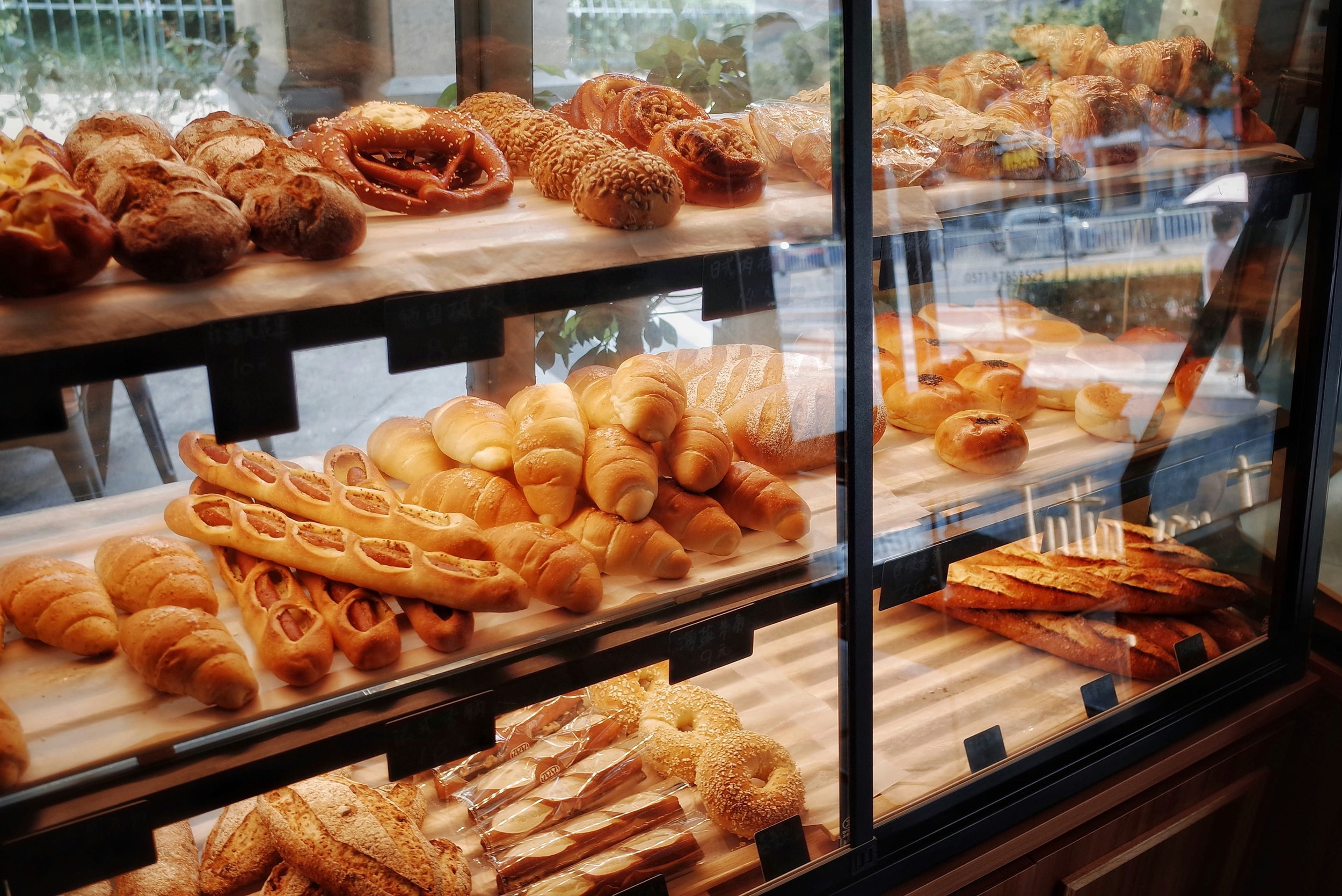
A bakery website has one job before anything else: prove the shop is open and show what's available today, faster than a visitor can close the tab and drive to the next option. Hours, address, and phone belong above the fold as plain text, never baked into an image, because search engines and AI tools can't read a JPG. Daily items, custom cake orders, and wholesale or shipping are three separate customer journeys and need three separate paths through the site, not one crowded menu page. PDF menus, hidden prices, and missing allergen language are the most common failures, and each one directly costs sales by pushing customers to call, guess, or leave. A bakery site that stays useful has one person assigned to update hours, sold-out items, and seasonal pages, because a beautiful site with December hours posted in April fails at its only job.
A bakery website has one job most other small business sites don't: it has to answer "are you open right now, and do you have the thing I want?" before the visitor closes the tab and drives to the shop down the street. Good bakery website design starts with hours, location, and what's available today, then works outward to ordering, custom cakes, and wholesale.
This is a build order, not a wish list. Each step below assumes you're working in Squarespace (that's what we build on), but the sequence holds no matter what platform you use. Follow it top to bottom and you'll end up with a site that handles walk-in traffic, special orders, and holiday chaos without you rewriting pages at 5 a.m.
In Bakery Website Design, Hours, Address, and Phone Must Appear Above the Fold
Before anything else, decide what a first-time visitor sees in the top third of the homepage on a phone. For a food shop, that's three things: today's hours, the street address, and a tap-to-call number. Not a hero video of dough being folded. Not your founding story.
The fastest way to do this in Squarespace is a slim top section with a text block and a button. Use a real phone link so the number is tappable on mobile.
Write hours as plain text on the page, not baked into an image. Search engines and AI answer tools read text; they don't read the JPG you exported from Canva last spring. If your hours change seasonally, say so in words: "Open Wednesday through Sunday, 7am to 2pm. Closed Monday and Tuesday through the winter." That single sentence stops a lot of phone calls.
Product pages need separate paths for daily items, custom orders, and wholesale
Most specialty food shops sell in three different modes, and each one needs its own path through the site:
Daily case items. What's in the display today. Changes constantly, low commitment, mostly walk-in.
Pre-order and custom. Cakes, pies, platters, holiday boxes. Higher ticket, needs lead time and a form.
Shipping or wholesale. Jars, mixes, cured goods, retail accounts. Real e-commerce with inventory and shipping rules.
Cramming all three into one "Menu" page is where bakery sites fall apart. A customer looking for a birthday cake shouldn't have to scroll past your sourdough schedule, and a wholesale buyer shouldn't land on the same page as a tourist checking whether you have croissants left.
Give each mode its own top-level nav item. Something like Menu, Order a Cake, and Shop. If you only do two of the three, use two. Nav clarity beats nav completeness every time. The same page-separation logic we lay out in the five pages every service business needs applies here, just with food categories instead of services.
Build menus as web pages, not PDFs
PDF menus are the single most common mistake in bakery website design. They load slowly on phones, they pinch-zoom badly, they're invisible to search, and updating one means re-exporting a file every time you change a price.
Build the menu as a regular page with headings for each category and plain text items underneath. Bread, pastry, cakes by the slice, coffee. If you have a lot of items, a simple table works well for anything where people compare across options:
| Item | Size | Lead time | Availability |
|---|---|---|---|
| Round layer cake | 6", 8", 10" | 72 hours | Year-round |
| Sheet cake | Quarter, half, full | 5 days | Year-round |
| Pie | 9" | 48 hours | Seasonal fruit varies |
| Cookie platter | 2 dozen, 4 dozen | 48 hours | Year-round |
Prices are the part everyone agonizes over. Put them on the page. A customer who can't find a cake price assumes it's expensive and calls someone else. If your pricing truly varies by design, publish a starting price and a short note about what pushes it higher, then link to your inquiry form.
One more thing on menu copy: write the item descriptions like a person who eats the food. "Butter croissant, laminated over three days" tells the reader more than "our signature pastry." If you want a fuller method for this, our walkthrough on writing copy that sounds like your business has before-and-after examples you can copy the approach from.
Custom order forms should collect date, size, and flavor upfront
Custom cake inquiries are where bakeries lose the most time. A bare "Name / Email / Message" form guarantees four rounds of back-and-forth before you can quote anything.
Build the form to ask, in this order:
Date needed (use a date field, and set a minimum lead time in the help text)
Pickup or delivery
Servings or size
Flavor and filling (dropdown from what you offer, not an open text box)
Allergies or dietary needs
Design notes and photo upload
Budget range
Name, phone, email
Budget range makes people nervous to ask. Ask anyway. It saves you from designing a three-tier fondant build for someone with a sheet-cake budget, and it lets you respond with a real answer instead of a question.
Set the form confirmation message to state your actual response window: "We reply to cake inquiries within two business days. For orders inside 72 hours, please call the shop." That one line prevents the anxious follow-up email on day one.
If a customer has to email you to find out whether you can make what they want, your site is doing half the job.
E-commerce only works well for shelf-stable products
Not every food shop needs a store. Shipping perishables is a real operational project: packaging tests, cold packs, carrier cutoffs, and a refund policy for the box that sits on a porch in August.
Shelf-stable products are the natural starting point. Jams, granola, spice blends, coffee beans, mixes, gift boxes. Set those up as proper products with real photos, weights, and ingredient lists. Then handle the local side separately with in-store pickup so neighbors can pay online and grab the order without shipping being involved at all.
A few Squarespace-specific setup notes that matter for food:
Use product variants for size and flavor rather than creating a separate product for each, or your store page turns into forty near-identical tiles.
Turn on stock tracking for anything you bake in limited batches. Selling eleven of the eight pies you made is a bad Saturday.
Set shipping rules by weight, not flat rate, if you sell anything in glass.
Add a clear cutoff notice for holiday shipping and put it on the store page, not just in the footer.
If you're weighing whether a store is worth the build at all, the tradeoffs in out-of-the-box versus custom web design map closely to this decision. A menu-and-inquiry site can launch on a managed plan; a real store with variants, wholesale pricing, and shipping logic is a custom e-commerce build.
Allergen and ingredient text drives searchable traffic
Here's the part of bakery website design that gets skipped and then costs you: allergen information. Anyone shopping for a gluten-free birthday cake or a nut-free classroom treat is searching with that word attached. If your site never says "gluten-free" in text, you're invisible to that entire set of searches.
You don't need a lab-certified statement. You need plain, specific language about what you make and what your kitchen handles. Something like: "We bake gluten-free items on dedicated equipment, but our kitchen also processes wheat, tree nuts, and dairy. We can't guarantee against cross-contact." That's useful to the customer and protective for you.
Put it in two places: a short line on the menu page near the relevant items, and a fuller note on your FAQ or ordering page. Don't bury it in the footer.
Consistent food photography compressed for speed matters more than polish
Food photography is the one design element where the money is well spent. Phone photos in natural light near a window beat most stock imagery, but shoot them consistently: same surface, same time of day, same rough angle. A grid of mismatched photos reads as chaos even when each individual shot is fine.
Then compress before you upload. Large files are the main cause of slow bakery sites, and a slow site loses the person standing on a sidewalk deciding where to get coffee. Export at roughly 2000px wide, save as WebP or a quality-reduced JPG, and keep most images under 300KB. Squarespace resizes on the fly, but it can't fix a 6MB original well.
Write real alt text while you're uploading. Not "cake." Try "three-tier lemon blueberry wedding cake with buttercream finish." It's an accessibility requirement and it feeds image search at the same time.
Local SEO captures neighborhood searches before you're even famous
Most bakery traffic is local and intent-heavy. Someone types "bakery near me," "custom cakes Portland Maine," or "gluten free bakery Augusta" and picks from what comes back. Your job is to be legible to that search.
Work through this in order:
Claim and fill your Google Business Profile. Hours, photos, ordering link, category, service area. Keep holiday hours updated there too, not just on the site.
Match your name, address, and phone exactly across your site, Google, Yelp, Instagram, and any delivery platform. Mismatched formatting dilutes the signal.
Name your town in page titles and headings where it fits naturally. "Custom Cakes in Belfast, Maine" as an H1 beats "Custom Cakes."
Add LocalBusiness structured data with your hours, address, and price range so search engines and AI tools can read the facts without guessing.
Build one page per real location if you have more than one shop. Shared pages don't rank for both towns.
Skip the keyword-stuffed paragraph at the bottom of the homepage. It doesn't work anymore and it reads badly. If you want the ranked list of what to fix first, the rundown of SEO mistakes new business websites make covers the indexing and local setup issues that sink new sites.
Holiday pages should flip on in twenty minutes, not rebuild under pressure
Food businesses run on spikes. Thanksgiving pies, Christmas cookie boxes, Valentine's, Easter, wedding season, summer tourists. The site should be built so you can flip into holiday mode in twenty minutes, not rebuild pages under pressure.
Set this up once: a reusable announcement bar for cutoff dates, a holiday order page you unpublish and republish each year rather than delete, and a products-in-a-"Seasonal" category you can toggle visible. Draft next year's holiday copy in October while you remember what confused people this year.
Maine shops have an extra layer here with summer versus off-season hours. Write your hours section so the seasonal switch is a text edit, not a design change. If your site is at the point where these changes feel harder than they should be, that's usually structural, and the signs listed in our checklist on redesigning versus refreshing will tell you which one you're looking at.
Assign one person to own updates or the site goes stale
A bakery site is not a launch-and-forget project. Hours shift, products sell out, the holiday page needs turning on, a new pastry chef changes the menu. The sites that stay useful are the ones with a clear answer to "who updates this on a Tuesday."
Three realistic options. You learn the editor and handle it yourself, which works fine if you're comfortable in Squarespace and have twenty spare minutes a week. You hand it to a staff member and document the process so it survives turnover. Or you put it on a managed plan where updates are included, which is what our Out-of-the-Box service is shaped around: design, copy, hosting, foundational SEO, and unlimited updates while the plan is active. Visit the link for current pricing.
Whichever you pick, decide before launch. The worst outcome is a beautiful site with December hours still posted in April.
Frequently asked questions
How much does bakery website design cost?
Bakery website design costs depend mostly on whether you're selling online. A menu-and-inquiry site with custom order forms and local SEO sits at the lower end, and managed monthly plans put that in reach without a large upfront payment. A real store with product variants, wholesale pricing, and shipping rules is a bigger build. Our custom Squarespace sites and e-commerce builds are priced accordingly, with e-commerce carrying the higher investment. For a broader breakdown of what drives the number, our piece on small business website costs in Maine lays out ranges by provider type.
Do I need online ordering, or is a phone number enough?
A phone number is enough if your orders are simple and your volume is manageable. Online ordering earns its cost when you're fielding the same cake questions over and over, taking orders after hours, or losing sales because nobody answers the phone during the morning rush. Start with a well-built inquiry form and add checkout later if the volume justifies it.
Should my menu prices be on the website?
Yes for anything with a fixed price, and a starting price for anything custom. Hidden pricing filters out buyers before they contact you, and it doesn't filter the way you think. People assume expensive and move on rather than calling to ask.
How often should I update the site?
Hours and seasonal items whenever they change, which for most shops means monthly at minimum. Photos and menu descriptions once or twice a year. Holiday pages get turned on several weeks ahead of the date so search engines have time to find them.
Can I use a template instead of hiring a designer?
You can, and for a simple one-location shop a good template plus careful setup gets you a working site. The parts templates don't solve are the ones specific to food: custom order form logic, allergen language, variant structure for a store, and local search setup. Those are configuration, not design, and they're where most DIY bakery sites come up short.
What to do next
Open your current site on your phone right now and time how long it takes to find today's hours and place a cake order. If either takes more than ten seconds, that's your first fix, and Steps 1 and 4 above are where to start. Work the ten steps in order rather than jumping to the parts that sound fun, because photography and seasonal planning don't help much if the address is buried.
If you'd rather hand the whole thing off, tell us about your shop and we'll map out what your bakery website design needs, what it would cost, and how fast it can go live.