What's Included in a Full Web Design Service Package
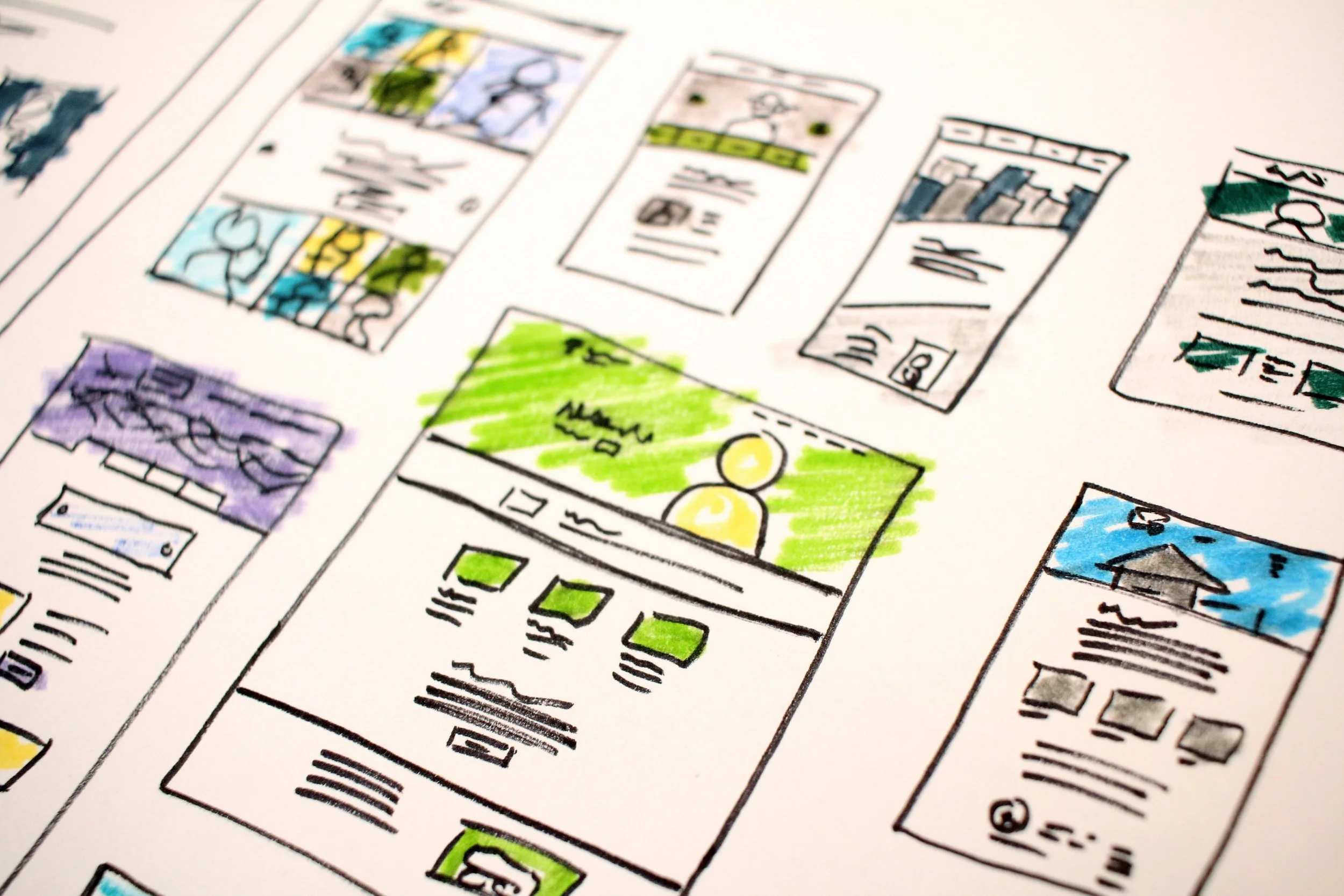
A website quote of "5 pages, mobile responsive, SEO included" describes a headline, not a scope of work. A complete package contains seven components: strategy and planning, copywriting, design and build, technical setup, foundational SEO, launch and QA, and ongoing support, and the difference between providers is which of these are included, partial, or billed separately. Unwritten copy is the single most common cause of a stalled launch, and foundational SEO is a finite, verifiable checklist rather than a guarantee of rankings. Redirect mapping determines whether a redesign keeps its search traffic or loses it for months, and ownership of the domain and content should sit with the business regardless of who builds the site. Matching package scope to what the business needs to accomplish, not to the lowest price on paper, is what separates a website that holds up a year later from one that gets neglected.
A website quote that says "5 pages, mobile responsive, SEO included" is not a scope of work. It's a headline. Two companies can send you that same line and deliver wildly different projects, because the phrase "web design services" covers everything from picking a template to writing every word on the site, wiring up forms, migrating a domain, and answering the phone eight months later when a photo needs swapping.
This guide breaks down the components a complete package should contain, which pieces are legitimately optional, and where quotes hide their gaps. If you're comparing proposals right now, read the section on what gets left out without mention first.
Web Design Services Contain Seven Standard Components Regardless of Provider
Strip away the marketing language and almost every website project consists of the same components. Whether they're all included, partially included, or billed separately is the only thing that changes between one provider and the next.
Strategy and planning: sitemap, page count, goals, what each page is supposed to make a visitor do
Copywriting: the actual words, written for your business and for search
Design and build: layout, typography, color, imagery, and the assembly of it all on a platform
Technical setup: domain, hosting, SSL, forms, redirects, analytics, integrations
SEO foundation: page titles, meta descriptions, header structure, image alt text, sitemap submission, local listings
Launch and QA: testing across devices, checking every link and form, going live without breaking search rankings
Ongoing support: updates, security, platform changes, and the person you contact when something breaks
Anyone can build a five-page site. The differences show up in how much of that list is handled for you versus handed back with a login and a "let us know if you need anything."
Skipped planning becomes the most expensive mistake later
Planning is the cheapest part of a website project and the most expensive one to skip. It's where you decide how many pages you need, what order they sit in, and what a visitor is supposed to do on each one.
For most service businesses, the structure is not complicated. A home page that says what you do and where you do it. A separate page for each core service, because one "Services" page listing eight things ranks for none of them. An about page with real faces. A contact page with a form and a phone number. That's the baseline, and we've written before about the five pages a service business needs before anything else gets added.
Good planning also settles questions that turn into arguments later. Who writes the copy? Who supplies photos? What happens to the old site's URLs? A proposal that skips straight from "discovery call" to "design mockup" without a written sitemap is a proposal where scope creep lives.
If a proposal doesn't list the exact pages being built, you haven't been quoted a website. You've been quoted a range.
Copy decisions create the largest quote variations
Copy is where quotes diverge hardest. Some packages include full copywriting. Some include "editing" of what you supply. Many assume you'll deliver finished text and say nothing about it until week two, when the designer emails asking for your about page.
This matters for two reasons
First, unwritten copy is the single most common cause of a stalled launch. A site that could have gone live in three weeks sits at 80 percent complete for two months because nobody wrote the services page. Second, copy is the SEO. Page titles and meta descriptions help, but the words on the page are what tells Google and AI assistants what your business does and where.
If you're writing it yourself, that's a real option and a real time cost. Budget a few hours per page, not twenty minutes. Our walkthrough on making your site sound like your business instead of a template covers the page-by-page approach, including the before-and-after edits that make the biggest difference.
When copywriting is included in web design services, ask what "included" means in practice. Does the writer interview you, or fill in a questionnaire? Are there revision rounds? Does the price cover all pages or the first five? These questions take thirty seconds to ask and save weeks of friction.
Template, customized, or custom build determines timeline and cost
Three approaches exist, and the price gap between them is mostly about how much is decided before your project starts.
| Approach | What you get | Typical timeline | Best for |
|---|---|---|---|
| Managed template build | A proven layout adapted to your brand, colors, and content | Weeks | Service businesses with standard needs and a defined budget |
| Customized template | A template as a starting frame, then reworked sections and custom styling | Weeks to a couple months | Businesses with unusual page types or a strong existing brand |
| Custom design | Layouts designed from a blank page around your specific content | Months | Complex structures, distinct visual identity, custom functionality |
We'll take a position here that some agencies won't: most small businesses do not need a custom design. A well-chosen template, filled with strong copy and real photographs, outperforms a mediocre custom build almost every time, because visitors judge clarity and speed long before they judge originality. Custom earns its cost when your site has to do something a template can't, a membership area, an unusual product configurator, a content structure that doesn't fit standard page types. The full comparison across cost, flexibility, and upkeep lives in our breakdown of out-of-the-box versus custom builds.
Mobile responsive means phones work without pinch-zooming or endless scrolls
Every modern platform produces a site that technically works on a phone. That's the floor, not the deliverable. Real mobile work means checking that the phone number is tappable near the top, that forms don't require pinch-zooming, that image-heavy sections don't stack into an endless scroll, and that your primary call to action stays reachable without hunting. Ask the designer to send you the staging link on your own phone before approval, not a desktop screenshot.
Technical setup includes domain, hosting, DNS, forms, and redirect mapping
The technical layer is invisible when it works and a genuine problem when it doesn't. A full package covers domain connection or transfer, SSL, DNS records so your email keeps working, form delivery and spam filtering, analytics, and 301 redirects from every old URL to its new equivalent.
That last one deserves emphasis. If you're replacing an existing site, the redirect map is the difference between keeping your search rankings and starting over. A redesign that launches without redirects can drop a site's organic traffic sharply, and the recovery takes months. Any quote for a rebuild should name redirects explicitly.
Hosting is the other place where "included" needs a definition. On Squarespace, hosting, SSL, security patching, and platform updates are bundled into the subscription, which removes an entire category of maintenance headaches. On self-hosted platforms, someone has to own plugin updates and backups, and if that someone is you, it's a recurring job. Our piece on what belongs in a bundle versus what's a legitimate add-on goes through the ten questions worth asking before you sign anything.
Foundational SEO is a specific checklist, not a vague promise
"SEO included" is the vaguest phrase in the industry. It can mean a full local search strategy or it can mean the designer typed a title tag on the home page and moved on.
Foundational SEO is a specific, finishable list of work that happens during the build:
Unique page title and meta description on every page
One <h1> per page with a real heading hierarchy under it
Descriptive alt text on images that carry meaning
Clean, readable URL slugs
Sitemap submitted and indexing confirmed in Google Search Console
Google Business Profile claimed, categorized, and matched to your site's name, address, and phone
Location and service language present in body copy, not just in metadata
Internal links connecting service pages to each other and to the home page
That's foundational SEO. It's setup work, and it should be included in any serious web design services package. What it is not is ongoing SEO: keyword research, content production, link building, and the monthly analysis that moves rankings over time. Those are separate engagements with separate budgets, and a company that implies the setup alone will produce rankings is overselling. Most of the damage we see on new sites traces back to the basics being missed, which is why we ranked the SEO mistakes new business websites make by impact rather than by how interesting they are to fix.
Answer engines and AI visibility now require separate optimization work
Two newer acronyms are worth understanding because they're increasingly bundled into setup work. AEO (answer engine optimization) is structuring content so it can be pulled directly into featured snippets and assistant answers, clear question-and-answer formatting, concise direct answers, structured data. GEO (generative engine optimization) is the same idea aimed at AI tools that summarize the web: stating your services, service area, and differentiators in plain, unambiguous sentences a model can quote without guessing.
Neither replaces traditional search work. Both are largely free side effects of writing clearly and marking up your pages properly, which is why they belong in the setup phase rather than in a separate premium tier. Squarespace and other platforms have been adding AI-related visibility tooling; check your platform's current documentation for what's available.
Launch requires a checklist of forms, redirects, devices, and analytics
Launch day is a checklist, not an event. Before a site goes live, someone should be clicking every navigation item, submitting every form and confirming the email lands (including checking spam), testing on at least one iPhone and one Android device, verifying the site loads over HTTPS without warnings, confirming redirects resolve, and checking that analytics is recording.
Ask what happens in the week after launch, too. Small issues surface once real visitors arrive; a form field that confuses people, a heading that reads fine on desktop and wraps badly on a phone. A package worth paying for includes fixing those without a change order. If you want to see how the sequencing works in practice, our week-by-week launch timeline maps out what gets done when and what typically causes delays.
Ongoing support keeps websites functional beyond launch day
Here's the position we'll defend: for most small businesses, ongoing support is not an upsell attached to a web design package. It's the reason the package has value a year later.
Websites decay
Hours change, staff change, services get added, a photo gets outdated, a form stops forwarding because an email address was retired. Without a support arrangement, each of those becomes either a task you postpone or a small invoice you resent. The sites that look neglected after eighteen months are almost never sites that were built badly. They're sites nobody was responsible for.
Support arrangements generally fall into three shapes.
Hourly as-needed gives you flexibility and unpredictable costs.
A retainer with a fixed hour allowance is predictable but you're tracking whether you "used" your hours.
A managed monthly plan folds hosting, updates, and changes into one fee. We run Out-of-the-Box Web Design as the third kind at a flat monthly rate (see current pricing on our Out-of-the-Box Web Design page), which covers design, copy, launch, hosting, foundational SEO, support, and unlimited updates while the plan is active, no upfront build fee, no separate invoice when you need a page changed.
Which model costs less depends entirely on how often your site needs to change. A business that updates nothing for two years does fine on hourly. A business with seasonal offerings, a growing team, and regular promotions does not. We compared the long-run math in a piece on monthly support versus one-time builds, and for anything beyond a static brochure site, the monthly model usually wins on total cost.
Photography, content migration, and training often hide in fine print
These are the items that show up as surprise invoices or silent gaps. Check each one against any proposal in front of you.
Photography. Stock is usually included. Original photos of your team, space, or work almost never are, and they're the single biggest visual upgrade available to a local business.
Content migration. Moving 60 existing blog posts is labor. Ask whether it's in scope and whether the old URLs are preserved.
Extra pages beyond the quoted count. Know the per-page rate before you're mid-build and realize you need three more service pages.
Third-party subscriptions. Scheduling tools, email marketing platforms, review widgets, and premium fonts bill separately from your design fee.
E-commerce specifics. Product photography, writing product descriptions, tax and shipping configuration, and payment processing fees each sit outside a standard design scope.
Revision limits. "Two rounds" is fine if you know it going in. Finding out during round three is not.
Ownership and access. Confirm in writing that the domain is registered in your name and that you'll have full platform account access.
That last point is the one to be most firm about. You should own your domain and your content unconditionally, regardless of who built the site or whether you stay with them. Any answer that gets vague there is the whole answer.
Match package scope to what your business needs to accomplish
Scope follows what the site has to accomplish, so start there rather than at a price.
A local service business, contractor, salon, law practice, restaurant, needs credibility, clear service pages, local search presence, and a fast path to calling or booking. A managed package covers that well, and the industry-specific structure matters more than the visual treatment. Several of our industry guides, including the one on what contractors need from a business website, get into the page structures that work for lead generation in those trades.
A business selling products online needs a different scope entirely: product setup, variants, inventory, shipping rules, tax configuration, checkout testing, and abandoned-cart flows. That's why e-commerce web design starts at a higher price point than a brochure site, the work is larger by any real measure, and most of it happens after the design is approved.
A business with unusual requirements, membership tiers, a resource library, a complex booking flow, multiple locations with separate service areas, is looking at custom web design. The tell is simple: if you can't describe your site using standard page types, a template will fight you the whole way.
Ask these ten questions before signing any proposal
Exactly which pages are included, listed by name?
Who writes the copy, and how many revision rounds are covered?
Is hosting included, and what does it cost if I leave?
What specifically is in your "SEO included"?
Will old URLs be redirected, and can I see the redirect map?
Who owns the domain, the content, and the platform account?
What's the per-page or hourly rate for work outside scope?
What's the process and response time for updates after launch?
What happens if the project stalls because I haven't sent content?
Can I see two or three live sites you built for businesses my size?
A provider who answers all ten without hesitation is telling you something useful about how the project will run. If you're still narrowing down who to ask, our nine-step vetting process covers the proposal red flags worth catching early.
Frequently asked questions
What should be included in web design services at minimum?
Web design services should include, at minimum: a written sitemap, design and build of the agreed pages, technical setup covering the domain, hosting, forms, and SSL, foundational SEO on every page, cross-device testing before launch, and a defined process for post-launch fixes. If copywriting isn't included, the quote should say so plainly so you can budget your own time or a writer's fee. Anything less than that list isn't a complete package, whatever the headline says.
Is SEO really included, or is that just a selling point?
Both, depending on the provider. Foundational SEO setup is finite, verifiable work you can check yourself: view the page source and confirm each page has a unique title, one <h1>, and a meta description. Ongoing SEO is continuous work on content, keywords, and authority, and it's a separate service with a separate budget. Be skeptical of anyone who promises rankings from setup alone.
Do I have to provide the photos?
Usually yes for original imagery, and you should want to. Stock photography of a generic office does nothing for a local business, while a photo of your actual crew, storefront, or finished work builds trust immediately. Phone photos in good daylight beat stock. If you don't have usable images, budget for a short local photo session — it's one of the highest-return line items in a website project.
How long does a website project take?
Managed template builds commonly run a few weeks; custom projects run longer. The variable that moves the timeline most is content, not design — projects stall waiting on copy, photos, and client feedback far more often than on development. If you have your content ready before the build starts, launch happens roughly on schedule.
What if I already have a site and only need parts of a package?
That's common and reasonable. Copywriting, SEO setup, and ongoing maintenance can each be handled independently of a rebuild. The question worth answering first is whether your problems are cosmetic or structural, because patching a site with a broken foundation costs more than replacing it. Our checklist on deciding between a facelift and a rebuild walks through how to tell the difference.
Mark each component as included or absent to compare real scope
Take whichever proposals you have and mark each of the seven components as included, partially included, or absent. The gaps become obvious fast, and the conversation shifts from comparing prices to comparing actual scope — which is the only comparison that means anything when you're evaluating web design services.
If you'd rather skip the spreadsheet, tell us what your business does and what you need the site to accomplish through our project form, and we'll tell you which of our web design services fits and what it covers.